
Searching Cases by Name
Not sure which Snohomish County court holds the case? Start with the Washington Courts Case Records Search. It works statewide. Pick District and Municipal, Superior, or Appellate first, then type the name. The lower-court tab handles civil, criminal, traffic, infraction, probable-cause, and small-claim cases. Superior adds civil, criminal, domestic, and probate or guardianship matters. Enter both a first and last name for a person search. A middle name helps when the results run long.
A name match alone proves little. The same name can belong to a plaintiff, defendant, petitioner, respondent, attorney, or another listed party. Before trusting a hit, line up the court, the case type, the filing year, and the status. Businesses get their own separate search. Two similar names are still two different people, so never merge them without checking the docket details.
- Choose the court level and Snohomish court.
- Select name or business search and the case type.
- Enter the exact known spelling and filing year.
- Compare court, role, case number, and status.
- Open the chronology, then verify it with the clerk.
Snohomish Court-Level Search Tabs
The best filter in a Snohomish County case search appears before you type a name. Case type tells you which court to pick. Felonies, general civil, domestic, probate, guardianship, and lower-court appeals usually sit in Snohomish County Superior Court. Infractions, misdemeanors, gross misdemeanors, small claims, and limited civil matters belong elsewhere. That elsewhere means District Court or a municipal court. A citation written by a city stays in that city's own court.
| Case clue | Search lane | Record keeper |
|---|---|---|
| Felony or general civil | Superior | County Clerk |
| Small claim or county infraction | District and Municipal | District Court Clerk |
| City citation | Named municipal court | Municipal clerk |
| State appeal | Appellate | Appellate clerk |
Federal cases sit outside all three county lanes. Snohomish federal filings go to the Western District of Washington. You search them through PACER. Choosing the right court up front also spares you a stack of false "no result" screens.
For District Court matters, the official Snohomish County District Court page lists the four divisions. It also posts its dated notice about the Enterprise Justice rollout.
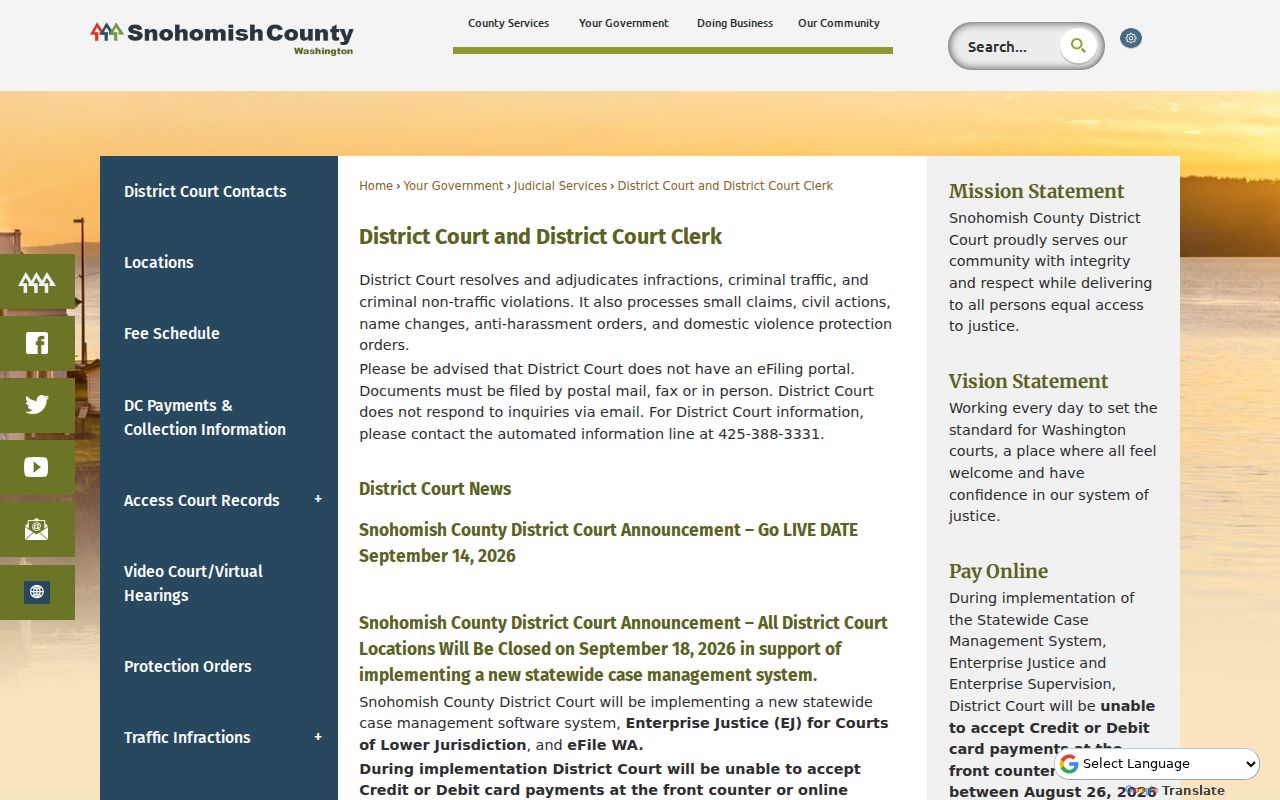
That page helps you route a District Court case and pin down when the system changed. It cannot turn a District record into a Superior Court file. After the transition, confirm current court links before relying on any docket entry.
Searching by Case Number
Search by number when you can. A full cause number beats a name every time. Washington's published Superior format looks like 99-9-99999-9. Two digits give the year. One gives the case type, then a sequence and a check digit. The type digit tells you what kind of court docket you are in. Criminal cases use type 1. Civil cases use 2, and domestic matters use 3. Probate and guardianship filings use 4. Adoption, mental-health, juvenile, and judgment categories carry other digits. Some of those court records come with access limits you cannot get around on your own.
Odyssey has one twist. It may swap the old final check digit for a county code. Snohomish County's code is 31, as in the official example 15-1-80304-31. That string is a format sample only. Do not read it as a live-party case. Older filings, District Court, and municipal formats can look different. Keep the hyphens if the form expects them. Verify any case number against an official notice or the clerk.
Snohomish Odyssey Search Fields
Got a Superior case number? Start there. The Washington Odyssey Portal runs Smart Search. It takes a record number or a last name paired with other name fields. You can narrow things further with location, party or business options, sounds-like matching, case type, status, filing dates, and judicial officer. A record number alone is the cleanest route into a Snohomish County court docket. If the name is common, stack filters like location, case type, and a date range. That keeps you from sorting through dozens of lookalike entries.
What a Case Search Returns
A Snohomish County case search can pull back a lot. You may see the court, cause number, case type, parties, filing date, status, activities, and some hearing data. Every field has a narrow job, though. A filing entry shows only that the clerk recorded an item. It does not show that the judge granted it. A setting marks a planned event, not a result. Treat any disposition label as a lead. Check it against the signed order or judgment before relying on it.
| Court | The court of record and the clerk to contact. |
|---|---|
| Cause number | The best key for repeat searches and copy requests. |
| Case type | The category, not a full account of the claims or charges. |
| Status | A summary that must be read with later events. |
| Activities | Chronological filings, settings, notices, and orders. |
| Hearing | A scheduled date that remains subject to change. |
Need the official outcome? Ask the clerk for the signed instrument. A portal screen or a downloaded index is not a certified copy.
Snohomish Search Is Not Real-Time
Don't treat what you see online as live. Washington Courts refreshes its case-search data within 24 hours. It warns that entries may be incomplete or inaccurate. The court of record still holds the true file. That lag matters most right after a filing, a continuance, or a same-day setting. It is also why two official Snohomish County tools can briefly disagree with each other.
For a current date: use Find My Court Date, a local calendar, or Odyssey hearing search, then confirm with the court.
The official Odyssey hearing search exposes location, hearing type, date, and party fields:
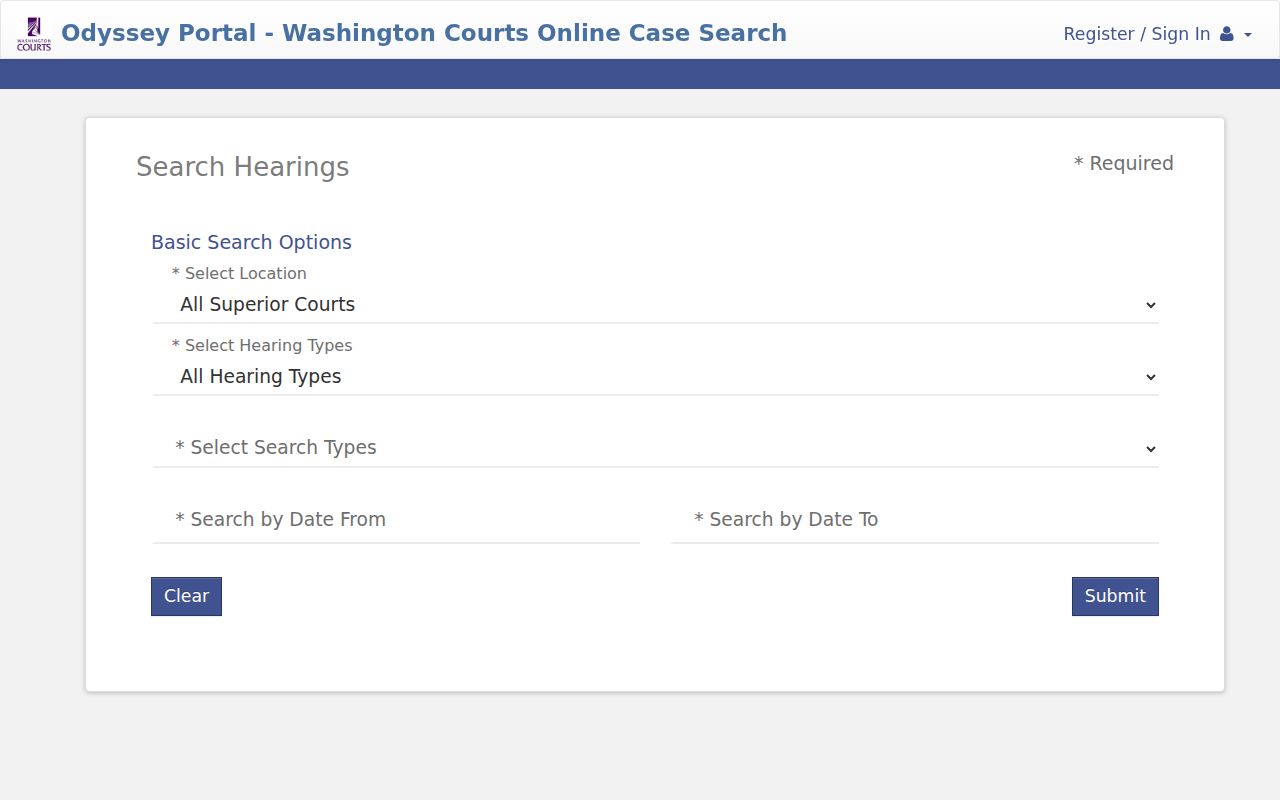
These filters track a scheduled event, nothing more. If a hearing was just moved, confirm the new setting before you rely on the case chronology.
Statewide vs County Case Search
Each search tool has its own job. Use the statewide search to pin down a court and cause number anywhere among Washington's court levels. Odyssey goes deeper for Snohomish Superior, with richer filters. Digital Archives holds selected older or imaged Superior series. When you need the official document itself, with certification, that comes from the County Clerk. In short, these channels connect rather than duplicate one another.
| Channel | Best use | Main limit |
|---|---|---|
| Washington Courts | Find court, party, and cause number | Index updated on a schedule |
| Odyssey | Refine Superior case information | Documents depend on access role |
| Digital Archives | Search selected record series and images | Not every file or image is present |
| Clerk | Obtain records and certification | A clear request and fees may apply |
For city misdemeanors and District small claims, go to the District or municipal clerk. A Superior Court docket search alone will not cover those cases.
Snohomish Digital Archives Filters
The Snohomish County Digital Archives instructions describe how to dig into the court docket series that have been digitized, including Superior civil, adult criminal, domestic, probate, and guardianship records. Not every series made it online. A case number is your best search term, and the record-series filters, the “Show All Records” toggle, keyword and date ranges, and the magnifying-glass indicator all help you pinpoint a filing inside the archives.
Access and Restricted Cases
General Rule 31 sets Washington's baseline for public access to court case records. Sealing and redaction fall under General Rule 15. General Rule 22 shields sensitive family papers. So a case can sit openly in the index while its financial, health, or evaluation attachments stay closed. Access and secrecy often mix in one file. A Snohomish County docket search that comes up empty is not the final word. Typing errors can hide a result. So can a wrong year, the wrong court level, an odd case type, older numbering, municipal jurisdiction, sealing, or a restricted category. Rework the search inputs first. Then call the right clerk. For juvenile or sealed matters, ask what proof of lawful access they want from you.
Privacy rule: Do not republish birth dates, license numbers, account numbers, juvenile names, or protected health data found in forms or records.
Pre-1978 Snohomish Case Research
Old Snohomish County court records take patience. The county's own timeline puts JIS at 1978, SCOMIS at 1994, and Odyssey at 2016. That explains why early case numbers and document views rarely line up with today's systems. A Superior Court case from before 1978 usually calls for a County Clerk historical research request. Don't just retry the current search box. The form itself asks for an approximate year, the case type, and the documents you want. Add both sides' names, a delivery choice, and any extra facts that could pin down the file. Expect research fees of $30 per hour with a one-hour minimum. The estimate for results is ten business days. Say plainly which period and papers you need. Newer files still travel by mail, counter, and regular copy routes. District Court takes requests by email, mail, fax, or in person. Municipal clerks handle city cases.
Note: Search systems only point to records. The court or clerk holding the original file gives the answer that counts.